

The jump from traditional rasterized graphics to lifelike lighting, dynamic shadows, and mirror-accurate reflections feels nothing short of revolutionary. That visual leap is powered by real-time ray tracing—but many gamers and creators still aren’t sure what it actually does, which real time ray tracing gpus support it, or whether the performance trade-off is worth the upgrade. This guide cuts through the marketing noise with benchmark-backed analysis and real-world testing insights. You’ll discover how ray tracing works, which graphics cards enable it, and how to choose the right GPU for your budget, workflow, and performance expectations.
What Is Real-Time Ray Tracing?
Real-time ray tracing is a rendering technique that simulates the PHYSICAL behavior of light. Instead of guessing how light should look, it traces the path of virtual light rays from your camera’s viewpoint back to their sources—like rewinding sunlight to see how it bounced through a room. Think of it as following every reflection in a hall of mirrors until you find where it began (yes, it’s as cool as it sounds).
Traditional rasterization, the older method used in most games, works differently. It projects 3D objects onto a 2D screen and “fakes” lighting with clever shortcuts. Shadows and reflections are often pre-baked or approximated. Critics argue rasterization is faster and “good enough”—and for years, they were right. But “good enough” isn’t the same as physically accurate.
Ray tracing calculates:
- Reflections that mirror environments on water, glass, and metal with true depth
It also produces soft, diffused shadows and global illumination (a term for realistic ambient light bouncing between surfaces). Powered by real time ray tracing gpus, scenes feel grounded and cinematic—like stepping from a sitcom set into a blockbuster film. Performance costs exist, but the realism leap is hard to ignore.
The Hardware Behind the Light: GPUs with Ray Tracing Cores
Ray tracing sounds magical—perfect reflections, lifelike shadows, cinematic lighting. However, the magic is brutally mathematical. Ray tracing is a rendering method that simulates how light rays physically bounce through a scene. Without dedicated hardware, it crushes performance.
That’s where dedicated cores come in. NVIDIA calls them RT Cores. AMD calls them Ray Accelerators. These are specialized units inside the GPU built specifically to calculate ray–triangle intersections (the math problem at the heart of ray tracing). In short, they prevent your frame rate from collapsing into slideshow territory.
Team Green: NVIDIA GeForce RTX
NVIDIA introduced hardware-accelerated ray tracing with the RTX 20-series (first gen). The RTX 30-series refined it with better efficiency. Now, the RTX 40-series pushes performance even further, with standouts like the RTX 4090, 4070 Ti, and the budget-conscious 4060.
Here’s the contrarian take: you don’t need a 4090 to enjoy ray tracing. Yes, it’s a powerhouse. But for most gamers, mid-range cards deliver excellent real-world results—especially with DLSS assisting performance (think “smart upscaling” powered by AI).
Team Red: AMD Radeon RX
AMD entered the hardware ray tracing race with the RX 6000 series and improved it in the RX 7000 series. Popular options include the RX 7900 XTX, RX 7800 XT, and RX 7700 XT.
Critics argue AMD still trails NVIDIA in ray tracing. That’s partially true in raw benchmarks. However, price-to-performance often favors AMD—particularly for gamers who want strong rasterization plus competent ray tracing.
Ultimately, real time ray tracing gpus aren’t about brand loyalty. They’re about balance—performance, cost, and the visual fidelity you actually notice during gameplay.
Performance Boosters: Making Ray Tracing Playable
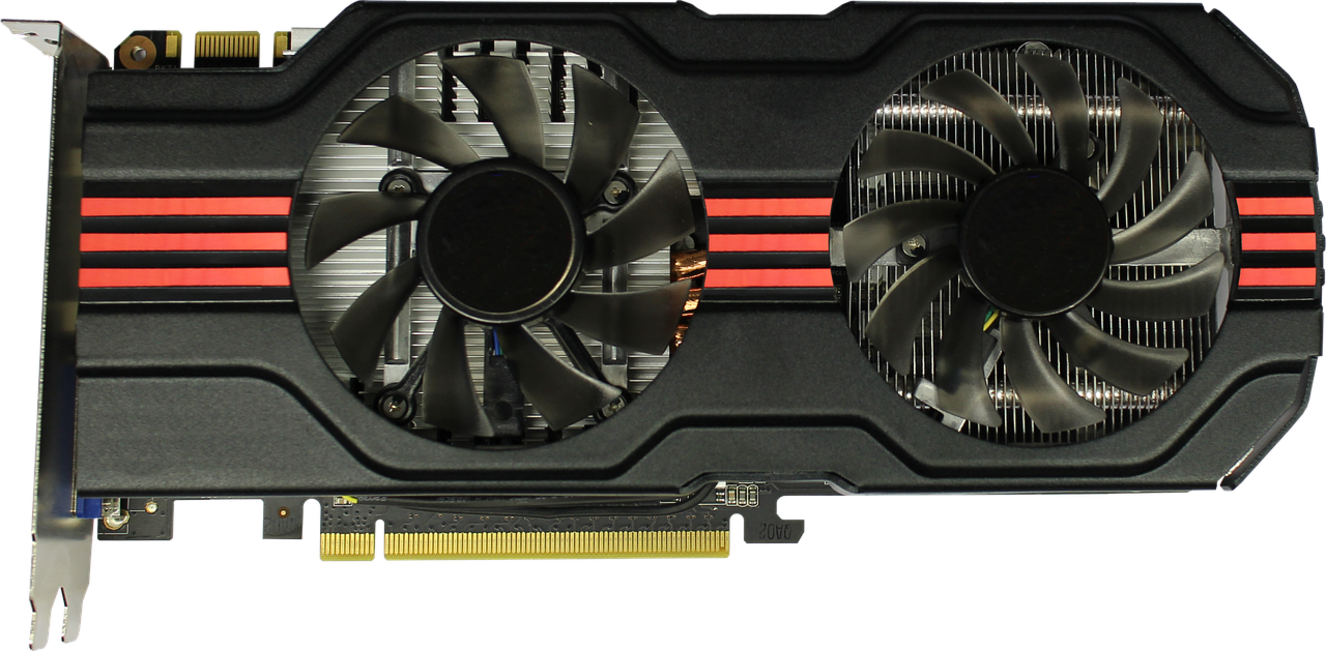
Ray tracing looks incredible—true-to-life shadows, reflections, and global illumination—but let’s be honest: it’s expensive. Enabling it can slash frame rates by 30–60% depending on the title and hardware (NVIDIA Developer Docs). Critics argue that buttery 144 FPS gameplay matters more than cinematic lighting. They’re not wrong—responsiveness wins matches. But what if you could have both?
AI-Powered Upscaling – NVIDIA DLSS
Deep Learning Super Sampling (DLSS) renders a game at a lower resolution, then uses AI trained on high-resolution images to upscale it intelligently. The benefit? Massive FPS gains with minimal visual loss. On RTX 40-series cards, Frame Generation inserts AI-created frames between rendered ones, further boosting smoothness. It’s like getting bonus performance without upgrading your GPU (almost feels like a cheat code).
Open-Source Alternatives – AMD FSR & Intel XeSS
Not everyone owns RTX hardware. FidelityFX Super Resolution (FSR) and Xe Super Sampling (XeSS) offer similar upscaling—and work across more GPUs, including NVIDIA’s. That flexibility makes them ideal for mixed setups and older real time ray tracing gpus.
| Technology | Hardware Support | Key Benefit |
|---|---|---|
| DLSS | RTX GPUs |
Best AI reconstruction |
| FSR | Most modern GPUs | Wide compatibility |
| XeSS | Intel Arc + others | Balanced quality/performance |
Pro tip: Always test Quality vs. Performance modes—visual differences can be surprisingly small.
For deeper system optimization insights, explore understanding api architecture for scalable applications.
Choosing Your Next-Gen GPU: A Buyer’s Guide
Choosing among today’s real time ray tracing gpus isn’t just about raw power—it’s about matching architecture to ambition.
For the 1080p Gamer
If you’re playing at 1080p, cards like the RTX 4060 or RX 7600 hit a sweet spot. They deliver smooth ray tracing when paired with DLSS or FSR (AI-powered upscaling that boosts frame rates without sacrificing sharpness). Some argue ray tracing is “overkill” at 1080p. However, enabling smart upscaling turns what used to be a luxury into a practical daily-driver feature.
For the 1440p High-Refresh Enthusiast
Stepping up to 1440p? The RTX 4070 Super and RX 7800 XT offer headroom for high refresh rates with ray tracing enabled. While critics say native rendering is king, frame generation tech now closes that gap impressively.
For the 4K & Creative Professional
For uncompromised 4K or Blender workloads, consider:
- RTX 4080 Super
- RTX 4090
- RX 7900 XTX
Beyond gaming, CUDA and AI acceleration give NVIDIA a workflow edge—something spec sheets often underplay.
The Future of Graphics is Here
You set out to understand how to unlock the breathtaking realism of ray tracing—and now you know the key lies in choosing modern GPUs like NVIDIA’s RTX or AMD’s RX 6000/7000 series. Today’s real time ray tracing gpus deliver lighting, shadows, and reflections that transform both games and creative projects into immersive experiences.
Yes, ray tracing is demanding—but with DLSS and FSR boosting performance, it’s more accessible than ever.
Don’t settle for outdated visuals. Define your budget, target your ideal resolution, and choose a GPU built for the next generation. Upgrade now and experience graphics the way they were meant to be.

 Claranevals Smith writes the kind of studio-grade tech solutions content that people actually send to each other. Not because it's flashy or controversial, but because it's the sort of thing where you read it and immediately think of three people who need to see it. Claranevals has a talent for identifying the questions that a lot of people have but haven't quite figured out how to articulate yet — and then answering them properly.
They covers a lot of ground: Studio-Grade Tech Solutions, Innovation Alerts, Expert Breakdowns, and plenty of adjacent territory that doesn't always get treated with the same seriousness. The consistency across all of it is a certain kind of respect for the reader. Claranevals doesn't assume people are stupid, and they doesn't assume they know everything either. They writes for someone who is genuinely trying to figure something out — because that's usually who's actually reading. That assumption shapes everything from how they structures an explanation to how much background they includes before getting to the point.
Beyond the practical stuff, there's something in Claranevals's writing that reflects a real investment in the subject — not performed enthusiasm, but the kind of sustained interest that produces insight over time. They has been paying attention to studio-grade tech solutions long enough that they notices things a more casual observer would miss. That depth shows up in the work in ways that are hard to fake.
Claranevals Smith writes the kind of studio-grade tech solutions content that people actually send to each other. Not because it's flashy or controversial, but because it's the sort of thing where you read it and immediately think of three people who need to see it. Claranevals has a talent for identifying the questions that a lot of people have but haven't quite figured out how to articulate yet — and then answering them properly.
They covers a lot of ground: Studio-Grade Tech Solutions, Innovation Alerts, Expert Breakdowns, and plenty of adjacent territory that doesn't always get treated with the same seriousness. The consistency across all of it is a certain kind of respect for the reader. Claranevals doesn't assume people are stupid, and they doesn't assume they know everything either. They writes for someone who is genuinely trying to figure something out — because that's usually who's actually reading. That assumption shapes everything from how they structures an explanation to how much background they includes before getting to the point.
Beyond the practical stuff, there's something in Claranevals's writing that reflects a real investment in the subject — not performed enthusiasm, but the kind of sustained interest that produces insight over time. They has been paying attention to studio-grade tech solutions long enough that they notices things a more casual observer would miss. That depth shows up in the work in ways that are hard to fake.