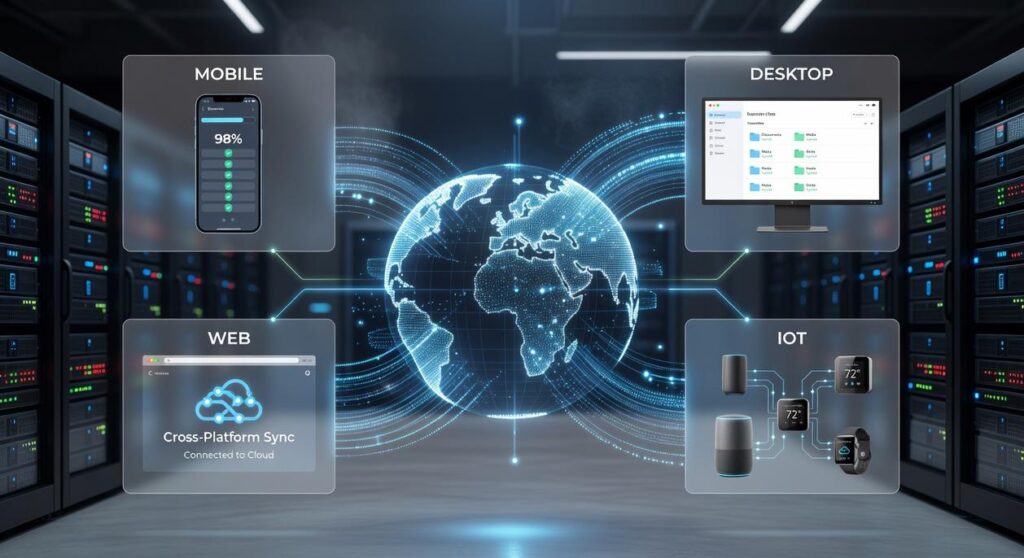
If you’re searching for smarter ways to connect your devices, automate workflows, and turn emerging tech into practical results, you’re in the right place. The pace of innovation in AI, machine learning, and device integration is accelerating—and most people struggle to keep up, let alone apply these advancements effectively.
This article is designed to cut through the noise. We break down actionable tech concepts, real-world applications, and studio-grade solutions that help you move from idea to implementation. Whether you’re exploring automation, building smarter systems, or optimizing cross platform device sync, you’ll find clear explanations and practical strategies you can use immediately.
Our insights are grounded in hands-on testing, technical research, and ongoing analysis of emerging tools and integration frameworks. We evaluate what actually works in real environments—not just in theory—so you can confidently adopt solutions that improve performance, efficiency, and scalability across your devices and workflows.
Ever snapped a photo on your phone only to mutter, “Why isn’t this on my laptop yet?” Or searched your tablet for a note you swear you saved somewhere else? That daily friction is digital fragmentation. Meanwhile, we’re promised everything “just works.” So what gives?
This guide fixes that. Instead of basic cloud storage tips, we’ll build a true cross platform device sync strategy that connects apps, files, and workflows into one fluid system. Think less copying and pasting, more automatic continuity.
By the end, you’ll have actionable steps to align devices across platforms—and make them talk to each other.
The Hidden Costs of a Disconnected Digital Life
Lost productivity is the silent tax of modern tech. You spend 12 minutes hunting for the “finalFINALv3” file, only to realize the real version lives on another device. Multiply that by five searches a day, and you’ve burned an hour (Gallup estimates employees lose up to 2 hours daily to poor workflows). That’s not inefficiency—that’s erosion.
Then come the version control nightmares:
- Three copies of the same proposal
- Conflicting edits
- One embarrassing mistake sent to a client
We tell ourselves it’s manageable. It’s not.
There’s also the cognitive load—the mental strain of switching between interfaces, passwords, and ecosystems. Planning a trip? Research flights on your laptop, book on your phone, jot notes on your tablet. Without cross platform device sync, details vanish, confirmations hide, and tabs multiply like gremlins after midnight.
The real cost isn’t just time. It’s focus. And once that’s fractured, everything feels harder than it should.
Building Your Personal Data Bridge: Key Concepts
If you’ve ever juggled a MacBook in SoMa, a Windows desktop in a Midtown office, and an Android phone on the L train, you’ve felt the chaos of modern data sprawl. Not all “integration” is equal.
Level 1: File Syncing. Tools like Dropbox mirror files across devices. Change a PDF here, it updates there. Useful, but shallow. It’s copying—not true coordination.
Level 2: Platform Ecosystems. Apple’s iCloud or Microsoft 365 create tighter lock‑in. Your photos, notes, and reminders flow smoothly—until you step outside the ecosystem (and suddenly things get awkward).
Level 3: True Data Integration. This uses APIs (Application Programming Interfaces, rules that let apps talk) and automation tools to move structured data between systems. Think syncing a CRM with your calendar automatically.
At the center sits your digital hub: a single source of truth, like Google Drive, OneDrive, or a self‑hosted NAS in your home lab. This hub anchors your cross platform device sync strategy.
Protocols matter. CalDAV standardizes calendar syncing; CardDAV does the same for contacts. These open standards prevent vendor lock‑in.
Try this framework:
- List critical data types: photos, documents, contacts, calendars
- Assign one hub per type
- Confirm protocol compatibility
- Automate flows where repetition exists
(Pro tip: redundancy beats regret.)
Mastering the Big Three: Syncing Across Apple, Android, and Windows

If your devices don’t talk to each other, you waste time repeating tasks (and patience). The upside of mastering the big ecosystems? Less friction, faster workflows, and zero “where did I save that?” moments.
Apple Ecosystem Deep Dive
Apple’s strength is continuity—features like Handoff (start an email on iPhone, finish on Mac), Universal Clipboard (copy on one device, paste on another), and iCloud syncing photos, files, and notes in real time. According to Apple Support, Handoff works across macOS and iOS when devices share the same Apple ID and Bluetooth/Wi‑Fi are enabled.
The benefit: seamless productivity if you’re all‑in on Apple.
Tip for bridging the gap: Install iCloud for Windows to sync iCloud Photos and Drive files directly to your PC. Suddenly, your Windows desktop isn’t the odd one out.
Google’s Platform-Agnostic Power
Google Workspace, Google Drive, and Google Photos run smoothly on nearly any device with a browser. That’s intentional—Google builds for openness.
Pro tip: Use Google Keep for universal note-syncing. It’s lightweight, searchable, and available on iOS, Android, and web. One grocery list, everywhere.
The payoff? True cross platform device sync without locking yourself into one brand.
Microsoft’s Integration Strategy
Microsoft leans into Windows dominance. OneDrive keeps files synced across devices, while Phone Link connects Android phones to Windows for:
- Notifications on your desktop
- Photo access without emailing yourself
- Texting and calls from your PC
It’s not magic—but it feels close.
The Bridge-Builder Technique
For total flexibility, use a third-party tool like Notion or 1Password. These apps offer polished clients everywhere. Think of them as neutral territory in the ecosystem wars (because sometimes Batman and Iron Man need a shared workspace).
Want deeper automation? Explore using automation hubs to connect multiple gadgets to tie everything together.
Your reward: fewer silos, smoother workflows, and tech that works for you—not the other way around.
Studio-Grade Integration Hacks for Power Users
Power users don’t wait for apps to “play nice.” They build bridges. Tools like IFTTT (If This Then That) and Zapier let you create automated “recipes” (trigger-action workflows) that connect platforms with zero native integration. The benefit? Less manual work and fewer dropped files.
Concrete hack: Create a rule that automatically saves any attachment from a specific Gmail sender directly into a designated Dropbox folder, which then syncs to all your devices. This eliminates repetitive downloads and ensures real-time cross platform device sync without lifting a finger.
For privacy-focused users, Syncthing and Resilio Sync offer peer-to-peer file synchronization. Instead of routing data through a central cloud server, files move directly between your devices using encrypted connections. That means:
- Faster local transfers
- No third-party storage
- Full control over endpoints
Prefer staying entirely local? Set up a shared SMB (Server Message Block) network folder. SMB enables high-speed file transfers across devices on the same Wi-Fi or Ethernet network—ideal for large media files or production assets.
Some argue cloud-only workflows are simpler. True. But hybrid setups provide speed, redundancy, and control—studio-grade efficiency without enterprise complexity.
Achieving True Digital Harmony
Digital fragmentation once felt inevitable—files scattered, apps siloed, constant friction. But seamless integration is no longer wishful thinking; it’s achievable when you build intentional bridges between tools you already use. Think Platform A (isolated apps, manual transfers, repeated logins) versus Platform B (connected workflows, automated backups, shared access). The difference isn’t brand loyalty—it’s SMART STRUCTURE.
With cross platform device sync and a central digital hub, your systems cooperate instead of compete. SIMPLICITY beats chaos.
• Fewer duplicate files
• Faster collaboration
• Clearer oversight
Choose one critical workflow—like your documents or photos—and apply one digital hub strategy today to feel the immediate benefit.
Bring Your Devices Together the Smart Way
You came here looking for smarter ways to connect your devices, streamline your workflow, and eliminate the frustration of scattered systems. Now you understand how innovation alerts, AI-powered integrations, and cross platform device sync can transform the way your tech works together.
Disconnected tools slow you down. Missed updates, incompatible apps, and clunky integrations waste time and limit what your setup can actually do. The real problem isn’t your devices — it’s the lack of seamless synchronization between them.
The solution is simple: implement smarter integration strategies, leverage AI-driven automation, and prioritize cross platform device sync to ensure everything communicates in real time. When your systems are unified, your productivity accelerates.
Don’t settle for patchwork fixes. Get the insights, device integration hacks, and studio-grade tech solutions trusted by thousands of forward-thinking innovators. Start optimizing your setup today and experience how seamless synchronization can eliminate friction and unlock the full power of your tech ecosystem.